![owl-Logo-1.png]](https://help.lendingwise.com/hs-fs/hubfs/owl-Logo-1.png?width=43&height=46&name=owl-Logo-1.png)
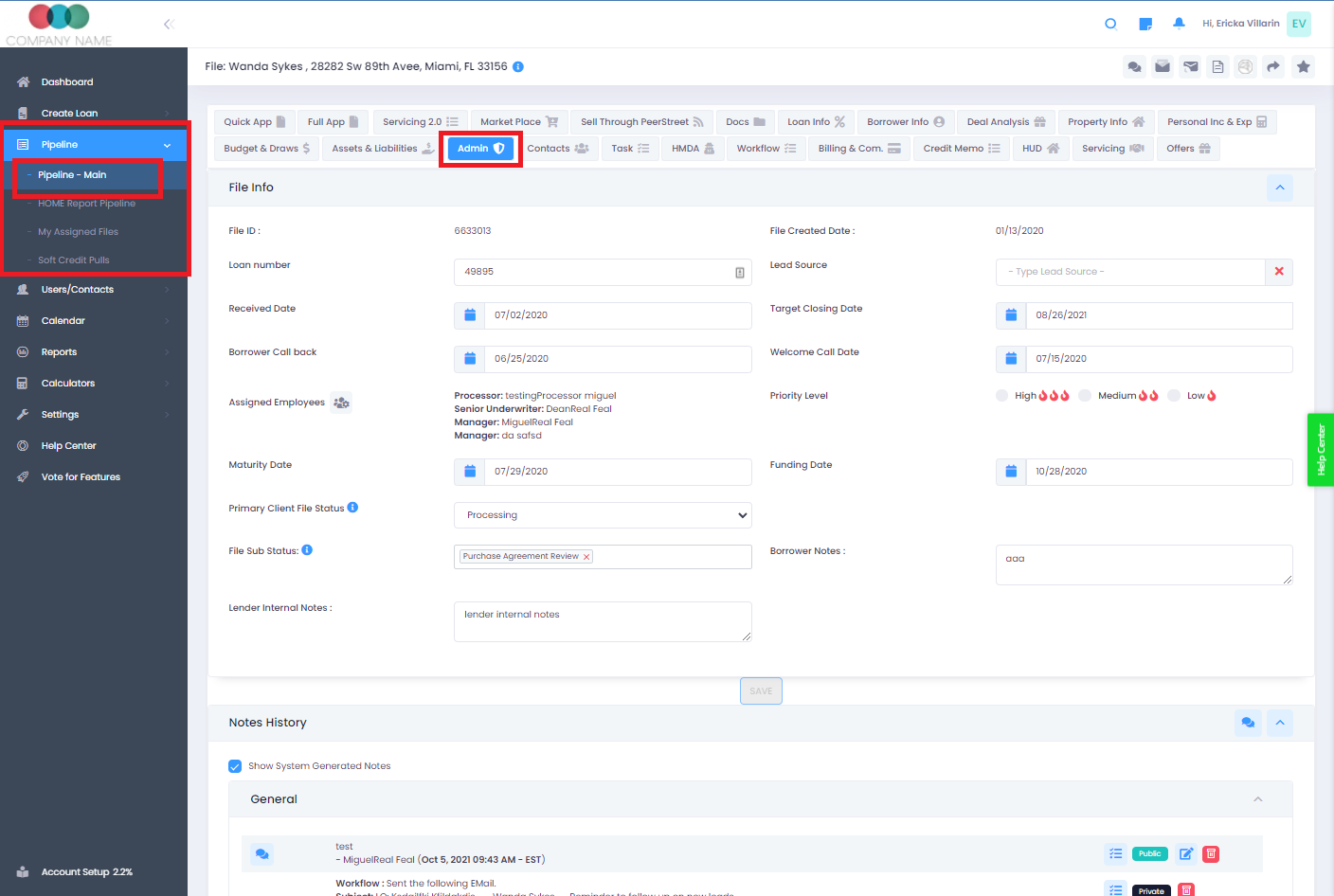
Where to find it: open the loan file and, in the menu on the left under ADMIN, click Admin (page heading File Info).
The Admin Tab in LendingWise is your central hub for managing key administrative data and controls across your lending operations. Use it to track important dates, assign staff, monitor file statuses, record borrower notes, manage lender internal notes, and review a full note history.
Key Features of the Admin Tab:
-
Important Dates: This section stores all key dates tied to your loan files and operational workflows (such as application dates, closing dates, and follow-up deadlines) so your team stays on schedule.
-
Staff Assignment: Assign loan files and tasks to specific team members directly from the Admin tab to keep accountability clear and workflows organized.
-
File Status and Sub Status: Monitor the progress of individual files with ease. The Admin tab allows you to change and track the status and sub-status of each file, giving you a clear view of where every loan stands in the process. You can also change the status and sub-status from Admin Info at the top of the Quick App and Full App tabs, or from the Quick View folder on Pipeline - Main. After you pick a new sub-status, click Save so any automations tied to it can run.
-
Borrower Notes: Record and access all notes related to borrower communication in one place, ensuring your team has full visibility into every borrower interaction.
-
Lender Internal Notes: Maintain effective internal communication with your team. Any lender internal notes can be added and reviewed in this section.
-
General Note History: Review a comprehensive history of all general notes to maintain a complete record of your team's communication timeline.
The Admin Tab brings all critical administrative controls together in one place, helping your team run lending operations efficiently and without gaps. If you have questions or need further assistance, contact the LendingWise support team at helpdesk@lendingwise.com.
Good to know: after changing the status or sub-status, click Save so related automation rules run (a pop-up may list them; Cancel there still saves the change). Status, sub-status and note changes are recorded as system notes in Notes History, not in the Change Log.