![owl-Logo-1.png]](https://help.lendingwise.com/hs-fs/hubfs/owl-Logo-1.png?width=43&height=46&name=owl-Logo-1.png)
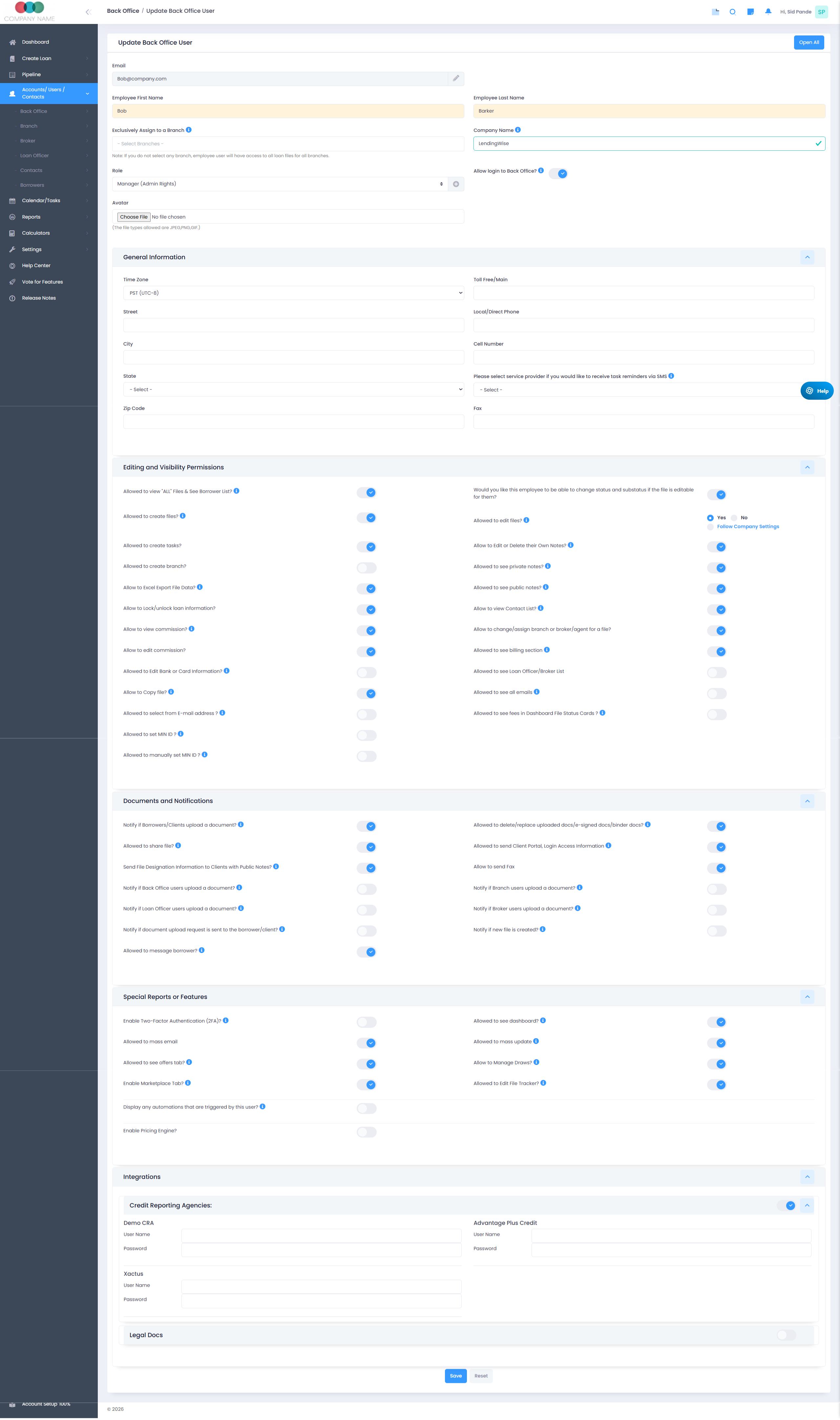
Navigate to: User/Contacts > Back Office > Create Back Office User
Important Note:
Back Office user role must be "Manager (Admin Rights)" in order to have access to make configurations to the platform. This user role is the only one that will see the "Settings" tab in the navigation menu on the left side of the screen.
These administrators can control what back-office users can see and do within the CRM and LOS system.
With this setup, admins can: Create and manage back-office user profiles Assign roles and permission levels Control access to specific features, tabs, and actions Restrict visibility of sensitive data Define editing, viewing, and approval rights Proper configuration ensures that each user only has access to the tools and information necessary for their role, helping maintain data security, workflow efficiency, and compliance. This setup is essential for maintaining clear role separation between sales, processing, underwriting, and administrative teams.
Below is the screenshot of the entire Back Office User Profile Settings.