![owl-Logo-1.png]](https://help.lendingwise.com/hs-fs/hubfs/owl-Logo-1.png?width=43&height=46&name=owl-Logo-1.png)
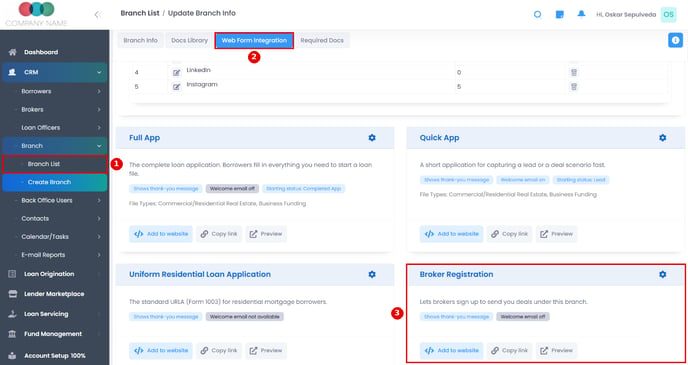
Brokers can register via a webform found under the CRM > Branch > Branch List > click the branch name > Web Form Integration tab.
On the Broker Registration card, Copy link gives you a direct link and Add to website gives you code to embed the form on your site. The gear icon sets the thank-you message or redirect, an optional welcome email, and the terms. The webform also allows for uploading of required docs for the broker.
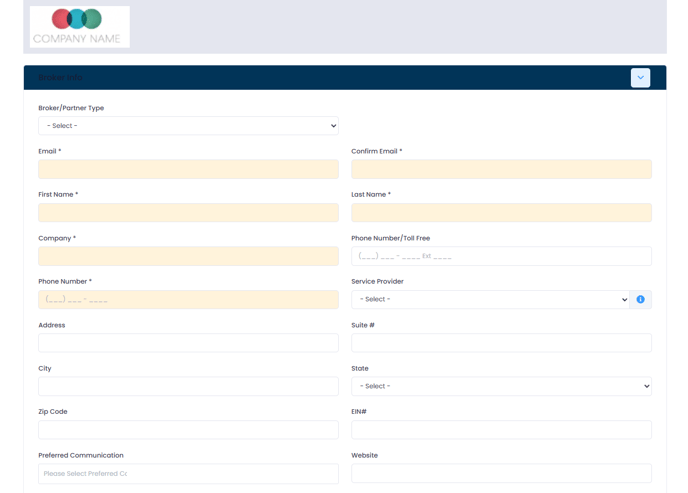
Sample screenshot of Broker Registration Webform:
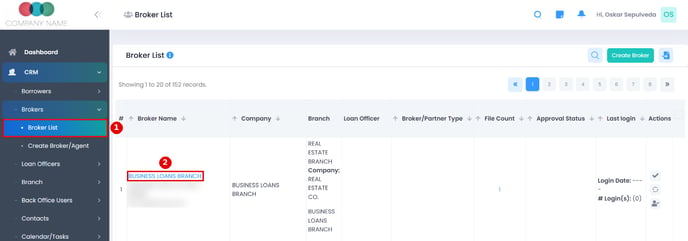
After a prospective Broker submits the webform, a Broker user profile will automatically get created in your LendingWise portal under CRM > Brokers > Broker List
You can then toggle on the "Allowed to login?" button to allow the broker to be able to login to their own Broker Portal
Note: You may need to verify you have enough user seats on your billing plan in order to provide user access to the broker portal. If all seats are in use, "Allowed to login?" stays locked at No. To add seats, email helpdesk@lendingwise.com. 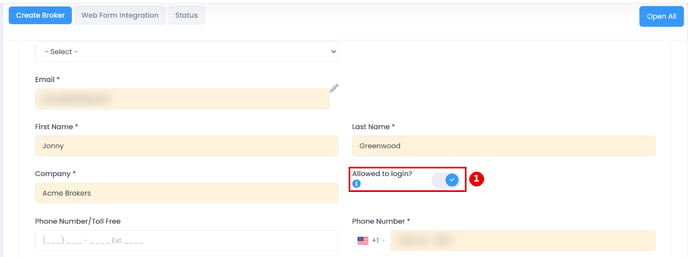
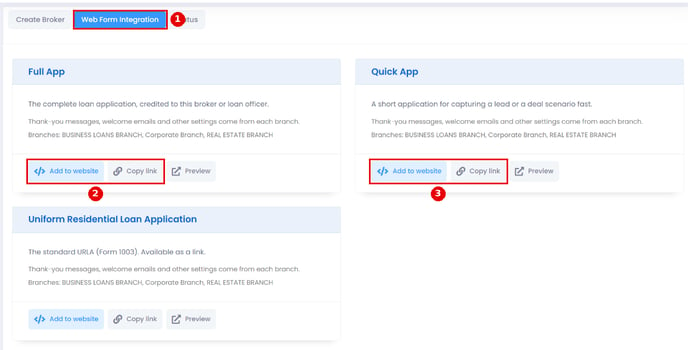
If you are not allowing login access for the Broker, you still have the option to provide the Broker their own unique Quick/Full App webform links. You can find these links in the Web Form Integration tab: