![owl-Logo-1.png]](https://help.lendingwise.com/hs-fs/hubfs/owl-Logo-1.png?width=43&height=46&name=owl-Logo-1.png)
Navigate to User/Contacts > Back Office > Back Office List > click on users name > Scroll down to "Special Reports or Features"
You will need to enable the two permissions outlined in the screenshot below:
- "Display any automations that are triggered by this user?"
- "Allow user to control triggered automations?"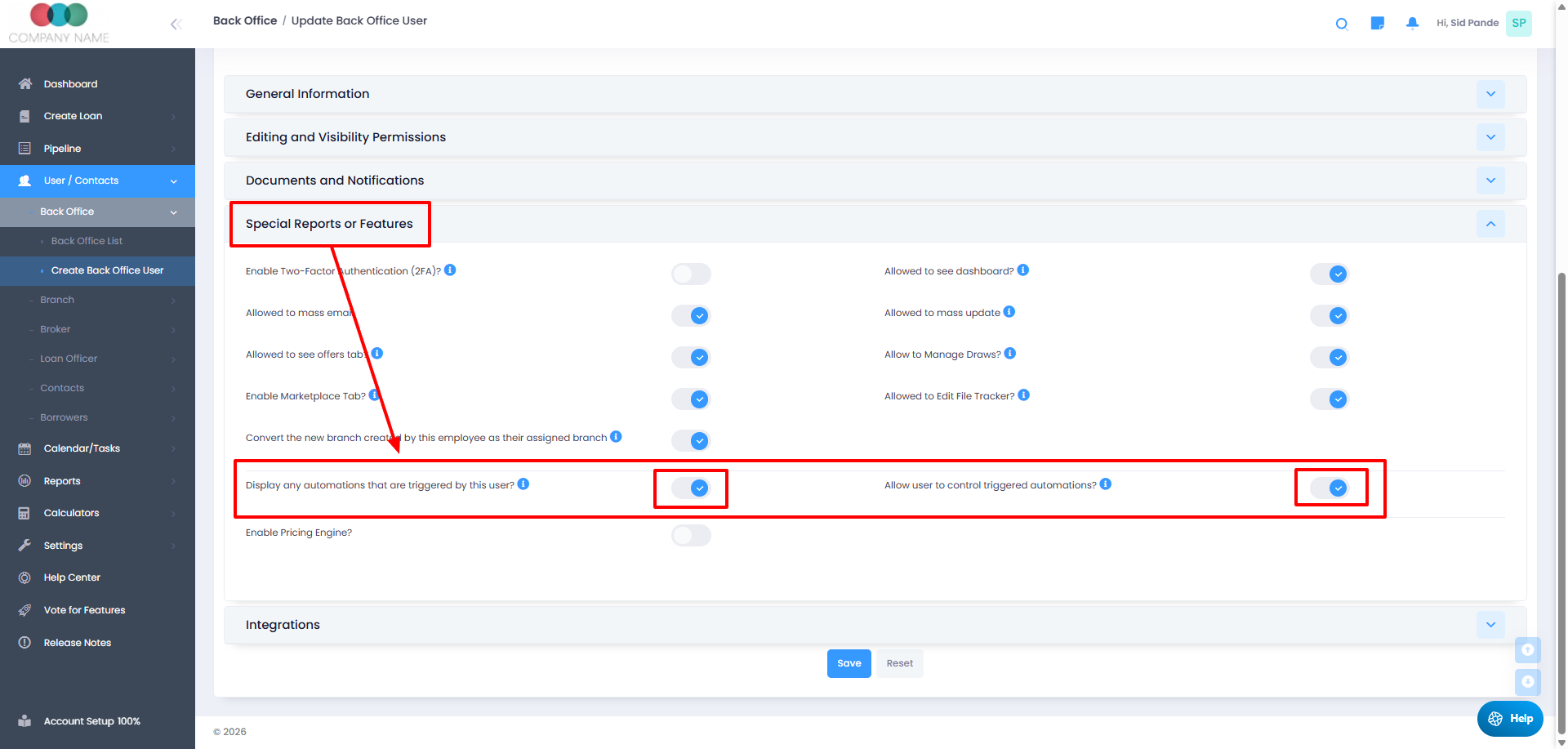
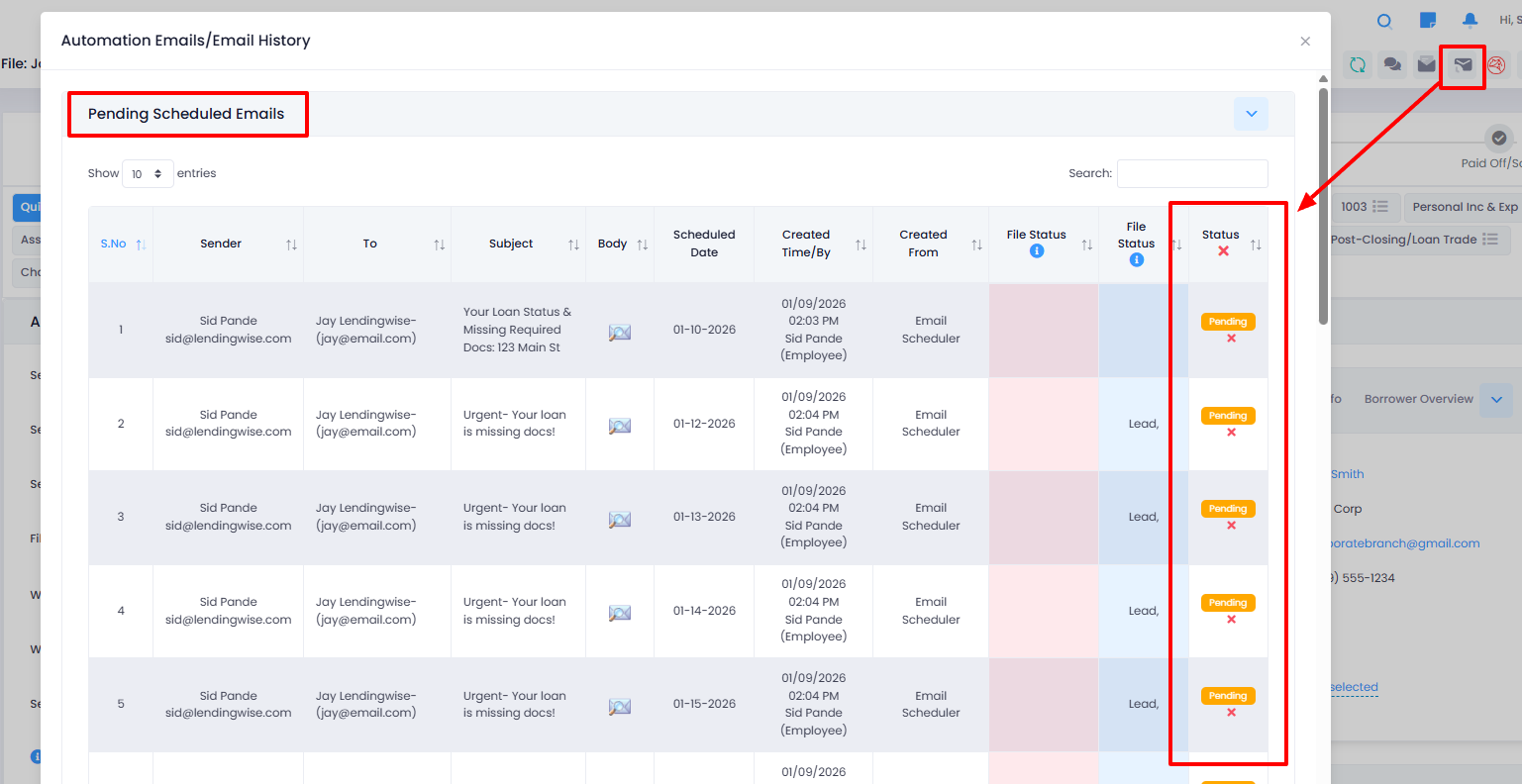
The Back Office user will now have the ability to either "Cancel All" pending automated emails or "Cancel" individual emails by clicking on the red "x" icon in the screenshot below: