![owl-Logo-1.png]](https://help.lendingwise.com/hs-fs/hubfs/owl-Logo-1.png?width=43&height=46&name=owl-Logo-1.png)
LendingWise has User Guides built into the platform, so you can read how a feature works without leaving the screen you're on. This article shows where to find each one and what it covers.
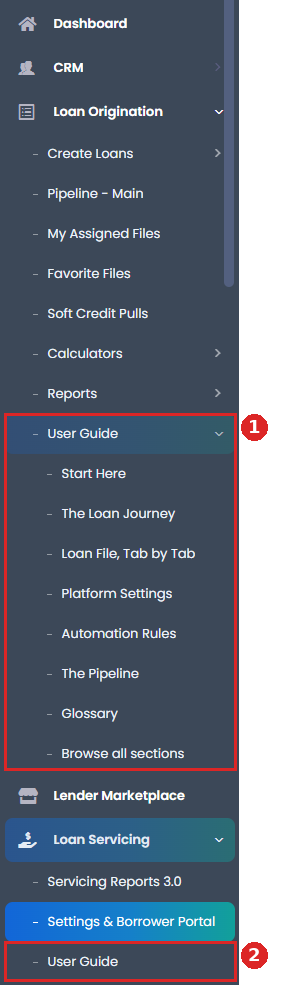
- Loan Origination > User Guide: the main guide, with its topics listed underneath.
- Loan Servicing > User Guide: the Servicing 3.0 guide.
Loan Origination User Guide
In the sidebar, click Loan Origination, then User Guide. Pick a topic from the list (start with Start Here), or click Browse all sections.
This guide explains the whole platform in plain language: what each screen is for, what to set up and in what order, and how a loan moves from a first inquiry to a payoff.
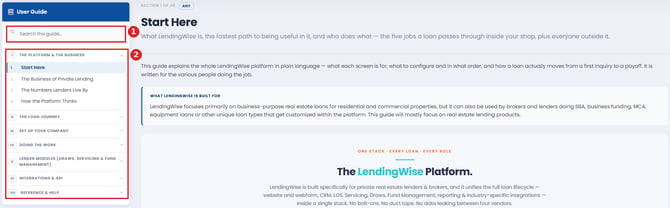
- Search the guide...: type a word to find the section you need.
- The table of contents, grouped into parts. Click a part to open it, then click a section.
Loan Servicing User Guide
In the sidebar, click Loan Servicing, then User Guide. You can also open it from the User Guide link at the top of Loan Servicing > Settings & Borrower Portal.
This guide covers Servicing 3.0: onboarding a loan, taking payments, late fees and charges, payoffs, statements, approvals, settings and permissions.
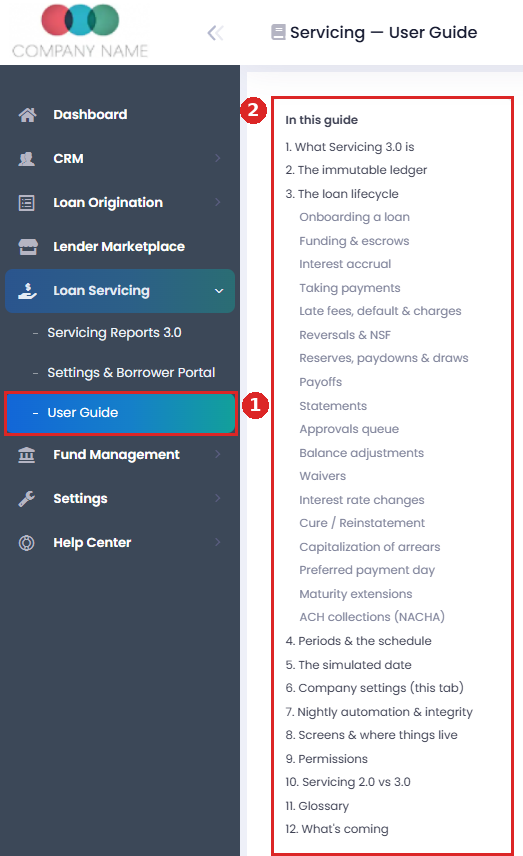
- User Guide under Loan Servicing.
- In this guide: click any topic to jump to it.
Fund Management User Guide
In the sidebar, click Fund Management, then User Guide. There's also a User Guide tab in the row of tabs across the top. You'll only see Fund Management if your user has access to it.
This guide covers funds, investors, contributions, distributions, loan allocations, fees, permissions and the investor portal.
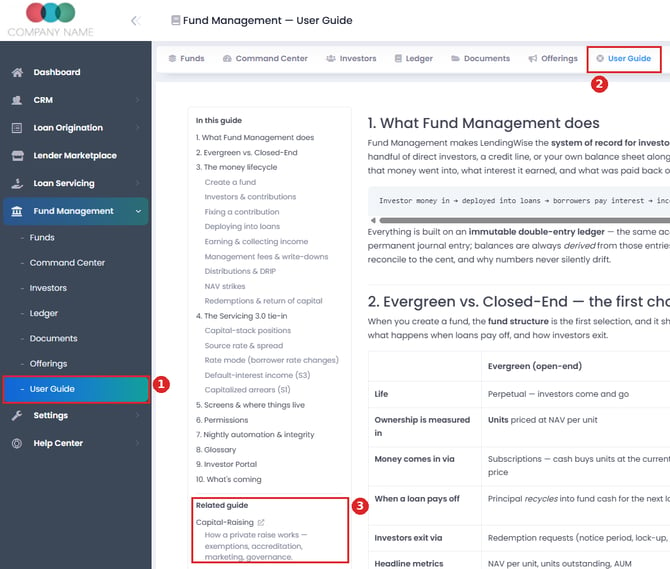
- User Guide under Fund Management.
- The User Guide tab at the top of Fund Management pages.
- Related guide: a separate Capital-Raising guide about running a private raise.
Draw Management User Guide
Go to Settings > Platform Settings > Draw Management and click User Guide at the top of the page, next to Settings. The guide opens on the same page.

- The Draw Management settings tab.
- The User Guide link.
- You can also reach this Help Center from the sidebar: Help Center > Help Center.
Questions? Email helpdesk@lendingwise.com.