![owl-Logo-1.png]](https://help.lendingwise.com/hs-fs/hubfs/owl-Logo-1.png?width=43&height=46&name=owl-Logo-1.png)
Create a loan file: summary
You have the option to create a Quick App or Full App to register a new loan file in the LendingWise system. This action assigns the loan to a borrower profile and creates a loan file entry in the Pipeline.
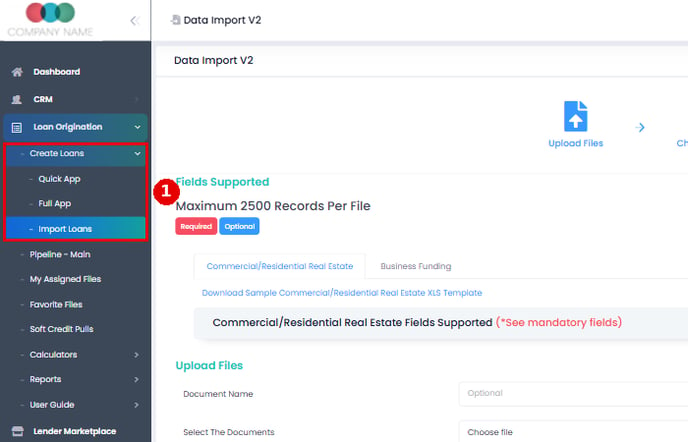
Go to Loan Origination > Create Loans and pick Quick App or Full App. Import Loans, in the same menu, brings in many files from a spreadsheet.
Loan program setup (before you create loans)
Before creating loans, much of the logic & experience depends on how your loan programs are configured:
- Turn on the loan programs you use in Settings > Platform Settings > Company Info > Enable Loan Programs: click the green + beside a file type, tick the programs (or use Add Loan Programs to make your own), then click the page's Save.
- Each loan program ties into required documents, workflows, which form fields show, loan guidelines and more.
- In each branch profile (CRM > Branch > Branch List > branch > Branch Info > Loan Programs), tick the programs that branch offers. Internal programs need "Allow access to Internal Loan Program?" turned on instead.
That means that when you click the Quick App or Full App tab under the "Create Loan" tab - the system uses these settings to determine:
-
What fields/questions show up (quick vs full app)
-
What required documents are needed
-
What default workflows apply
Creating the file, step by step
- Pick Select the Branch first. This fills in Broker/Partner and Loan Officer, sets the File Type, and turns on Save.
- Pick the loan program. The rest of the form appears.
- Fill in the borrower. If you type an existing borrower's email, you're asked "Would you like to import basic information for this borrower?" YES imports their profile; NO clears the email box.
- Each section has its own Save, plus Save & Next.
Careful: saving a new file can run automation rules (emails and tasks) right away, with no pop-up. Test new rules on a file that uses your own email as the borrower.
Custom fields are included on the Elite and Enterprise plans and available as an add-on on Starter and Pro.