![owl-Logo-1.png]](https://help.lendingwise.com/hs-fs/hubfs/owl-Logo-1.png?width=43&height=46&name=owl-Logo-1.png)
Loan officers are your originators. Go to CRM > Loan Officers > Create Loan Officer to add one, or CRM > Loan Officers > Loan Officer List and click a name to edit one. Here's the whole loan officer profile:
Watch: add loan officers and brokers, send them to the right login page and set up branches, in under 4 minutes.
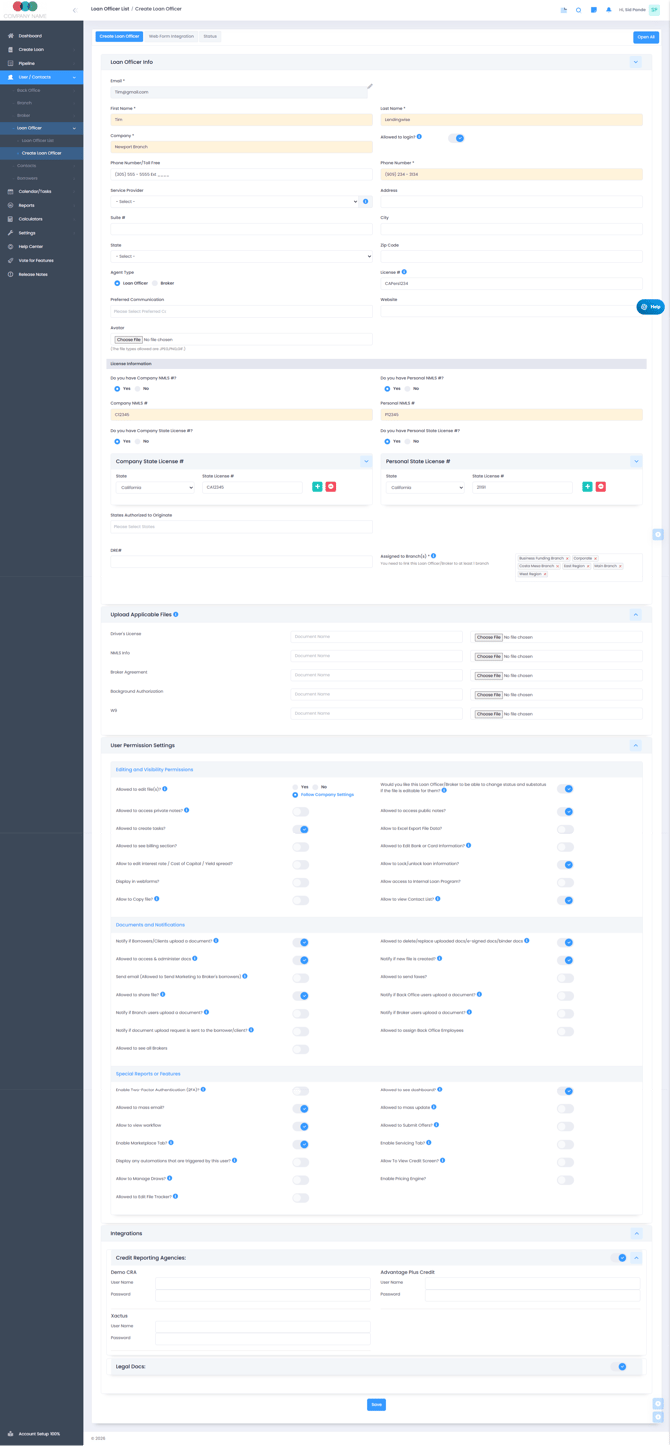
Loan officer profiles without a login
Every loan file can be linked to a loan officer or broker for tracking. If you work in a back office role but also originate loans, you can create a loan officer profile for yourself without login access, so you can be attached to files as the loan officer, and keep logging in with your back office profile. Creating a loan officer or broker profile is free unless you turn on login rights.
Give a loan officer or broker login access
Turn on "Allowed to login?" on their profile (CRM > Loan Officers > Loan Officer List, or CRM > Brokers > Broker List, then click the name). If all your user seats are in use, the switch stays locked at No with a message that you've exceeded the number of allowed users. To add seats, email helpdesk@lendingwise.com.
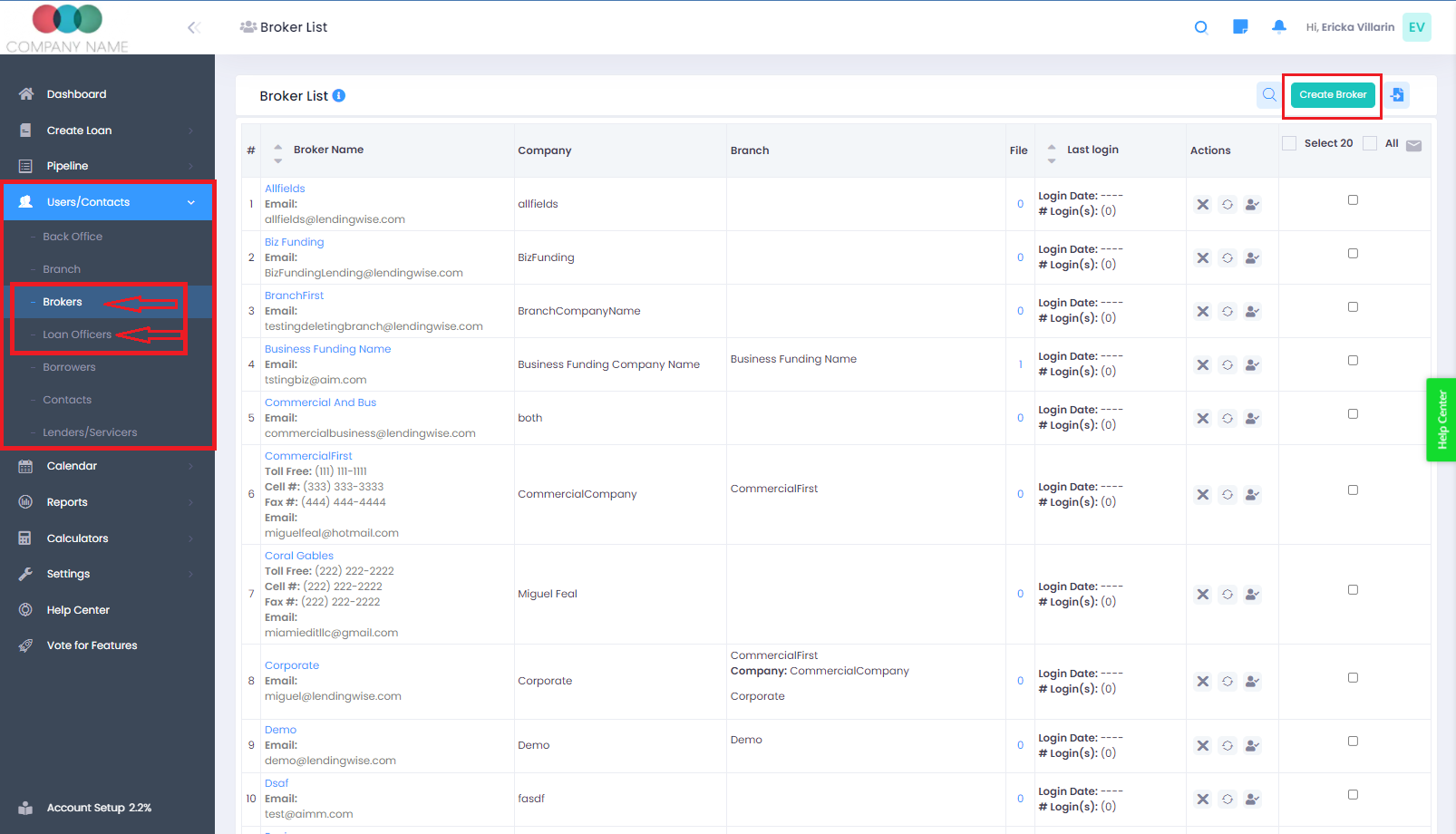
After you save a new loan officer or broker
Before you share the login, open the profile and review the permissions. Turn on anything this person should have, then click Save.
LendingWise doesn't email the new person their login. Share their username and starting password yourself, along with the right login page (below). When you save a new loan officer, their branch gets a "New broker Registration" email with the loan officer's details. When you save a new broker, their branch and their assigned loan officer get one too.
Logging in
Loan officers and brokers can log in two ways: on LendingWise, or through your website if you have the white-label package.
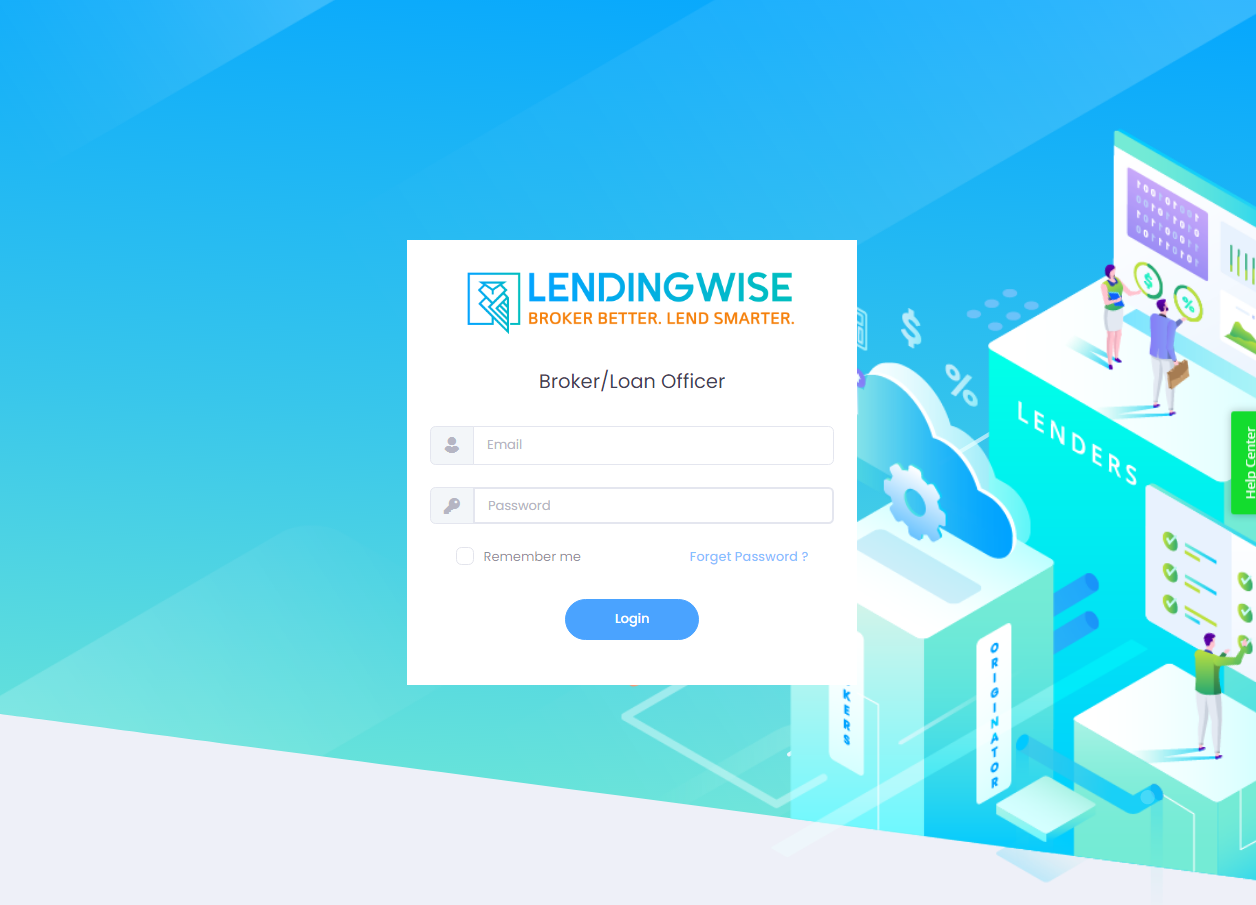
- Go to the loan officer and broker login page. If you have the White-label Add-On, use your own login link from Settings > Platform Settings > Web Forms / Logins.
- Enter your login details. Tick "Remember me" if you want to be remembered next time.
- Forgot your password? Click "Forget Password?" to reset it.
Send each person the direct link for their profile type: loan officers and brokers log in at app.lendingwise.com/login/agent, and back office users at app.lendingwise.com/login/backoffice. The main login page lists every account type.
Turn on the Dashboard for a loan officer
Go to CRM > Loan Officers > Loan Officer List, click the loan officer, turn on "Allowed to see dashboard?" and click Save. Loan officers only see their own assigned files on the Dashboard. Branch profiles have a matching "Allow to see dashboard?" switch.
Using LendingWise as a loan officer or broker
When you log in as a broker or loan officer, the menu on the left has Dashboard, CRM, Loan Origination, Lender Marketplace and Help Center.
- To start a new file, go to Loan Origination > Create Loans > Quick App. A broker who creates a file this way is set as the file's broker automatically, and Borrower Email is required to save.
- Inside a loan file, the DEAL ROOM group has Market Place and Offers.
Video: how to use LendingWise as a broker or loan officer
Questions? Email helpdesk@lendingwise.com.