![owl-Logo-1.png]](https://help.lendingwise.com/hs-fs/hubfs/owl-Logo-1.png?width=43&height=46&name=owl-Logo-1.png)
The LendingWise Marketplace has 60+ curated lenders across 6 loan products, covering bridge, fix and flip, construction, DSCR/rental, CRE, SBA, equipment and other business funding across the US. New lenders are added all the time.
Use the Marketplace
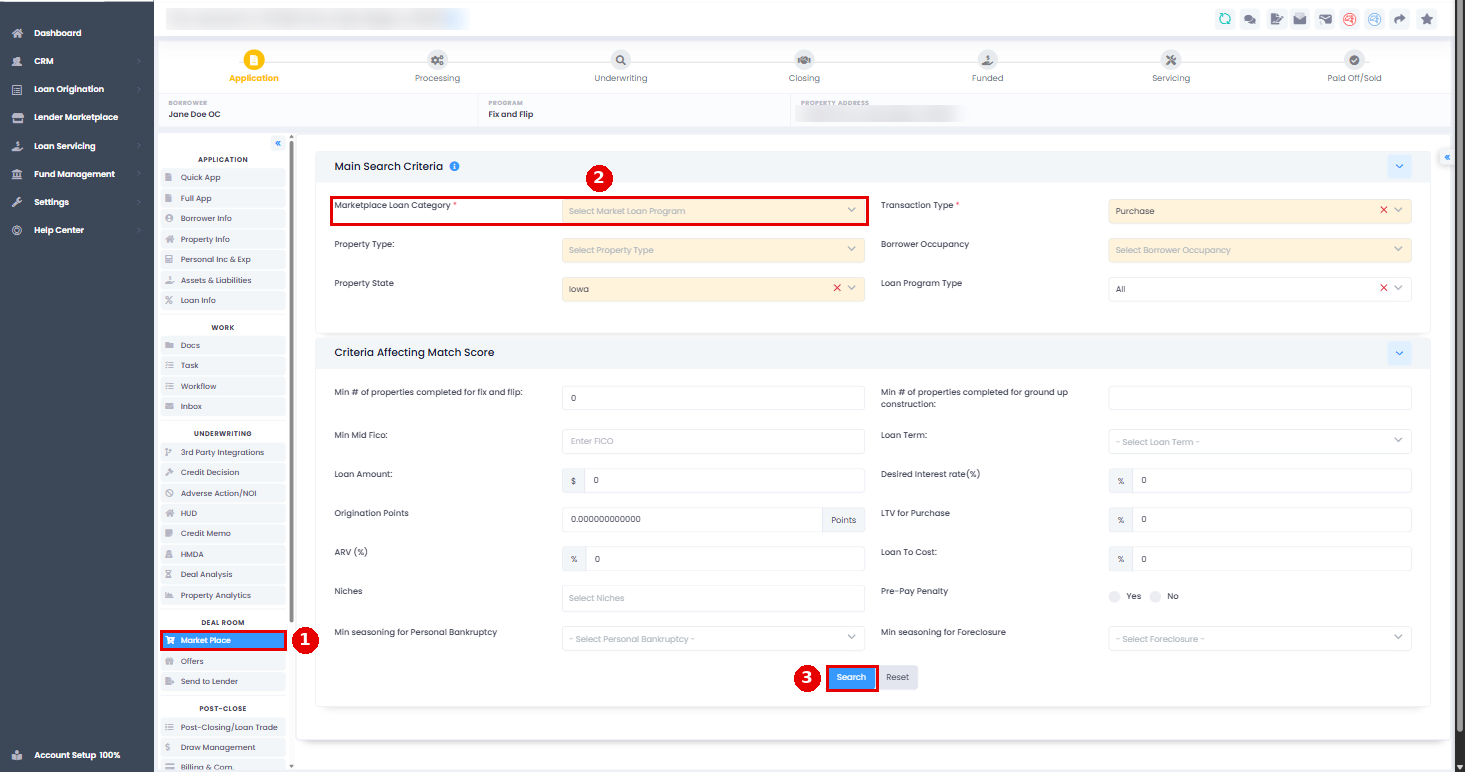
- Open a loan file and, in the menu on the left under DEAL ROOM, click Market Place. It fills in from your Quick App or Full App data.
- Pick the loan category, check the required fields are filled in, and click Search.
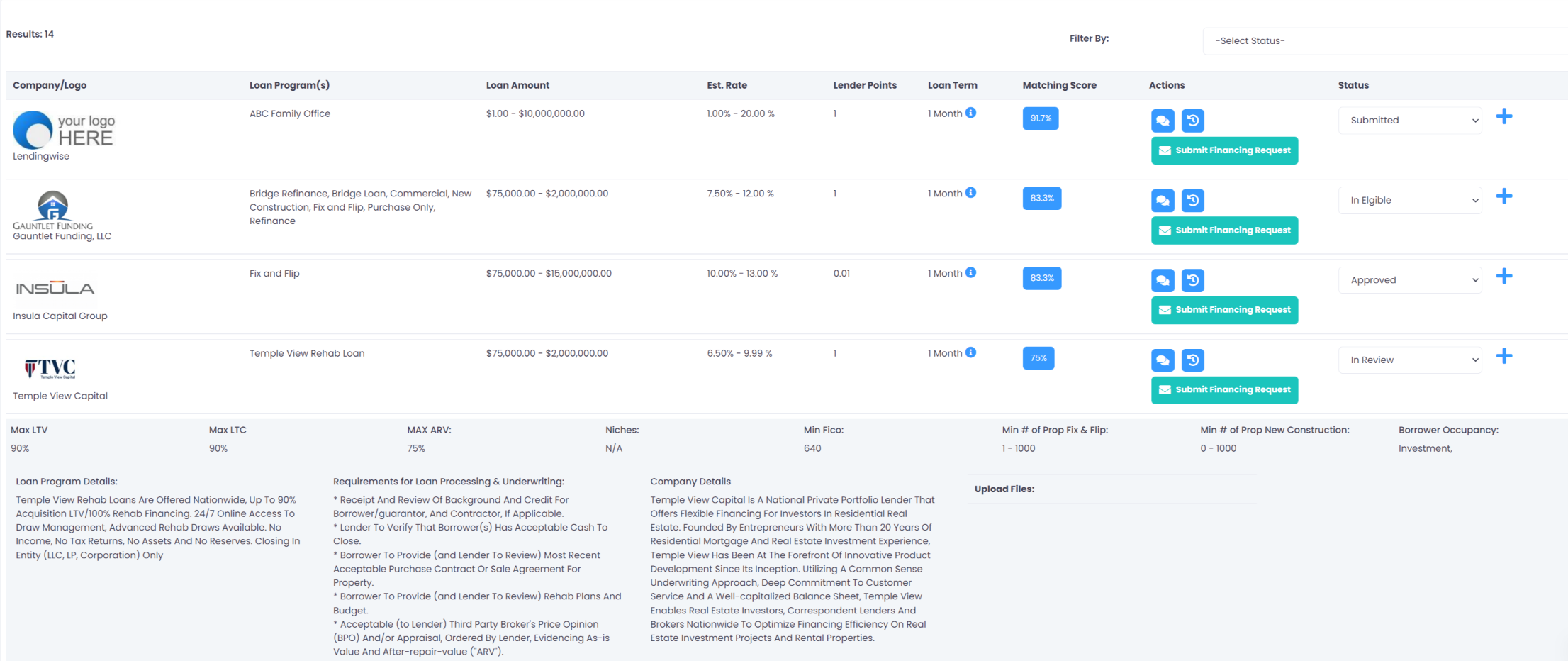
- Review the results.
- Click Submit Financing Request to email lenders directly.
Tip: to have lenders send offers back through the deal room, include the share link with offer submission. All offers show on the Offers tab so you can compare them. Set a point of contact on the Offers tab first, or nobody is notified when an offer comes in.
Add your own lenders
Option 1: Excel import. Download the lender template, fill it in and email it to helpdesk@lendingwise.com to have the lenders loaded.
Option 2: set them up yourself.
- Add the lender in CRM > Contacts with Contact Type Lender or Investor.
- Create an internal loan program for the lender's product.
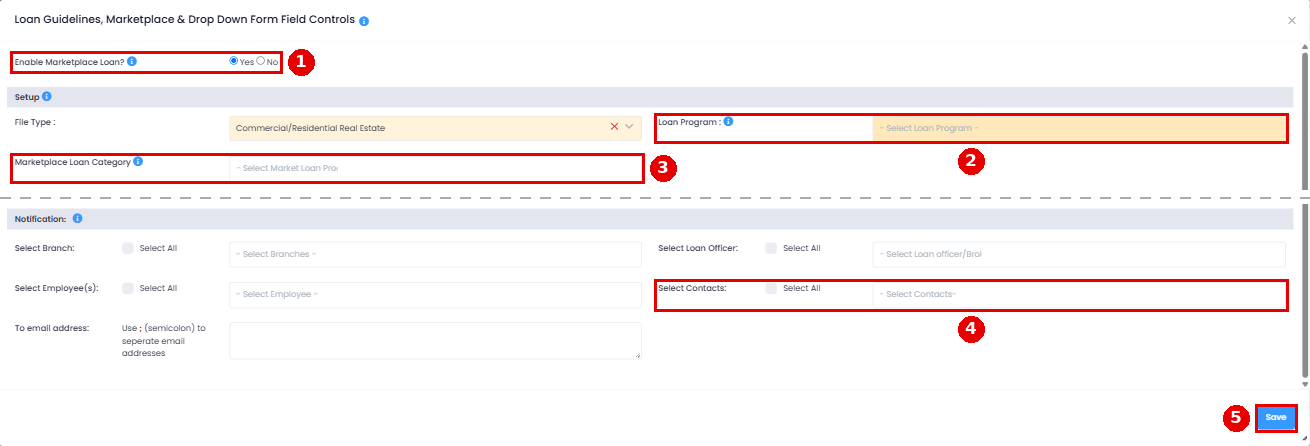
- Go to Settings > Platform Settings > Custom Loan Guidelines, create a guideline for that program and set Enable Marketplace Loan? to Yes (the first field). Fill in the category, states, property types, transaction types and occupancy so searches can match it.
- Pick the lender under Select Contacts. They'll receive the Submit Financing Request emails. You can add several contacts to one program to email several lenders at once.
Turn on the Marketplace for a user
The Marketplace has to be part of your plan. If it is and a user still doesn't see it, turn on "Enable Marketplace Tab?" on their profile:
- Back office users: CRM > Back Office Users > Back Office User List > user > Special Reports or Features. For back office users, the switch on their own profile is the one that counts.
- Branches, loan officers and brokers: the same switch is on their profiles. Here's the branch walkthrough:
When it's on, the user sees Market Place under DEAL ROOM in the loan file and Lender Marketplace in the sidebar.
If the Marketplace isn't part of your plan and you'd like to add it, see Managing Plans & Billing.