![owl-Logo-1.png]](https://help.lendingwise.com/hs-fs/hubfs/owl-Logo-1.png?width=43&height=46&name=owl-Logo-1.png)
We now support populating the 1003. Please refer to this commented 1003 PDF to understand which sections need values to populate the 1003: https://drive.google.com/file/d/11dS2I8jTCm5RUCfXq5nWvvE_vPoK4qKd/view?usp=sharing
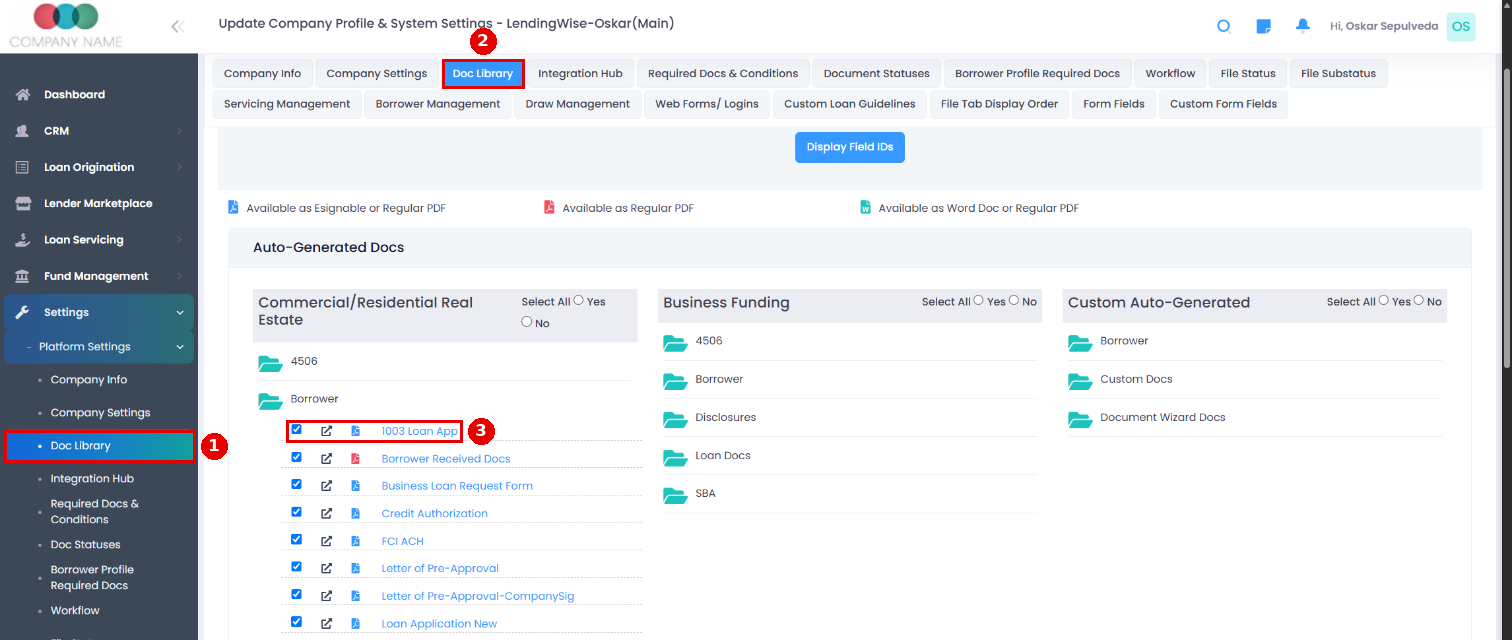
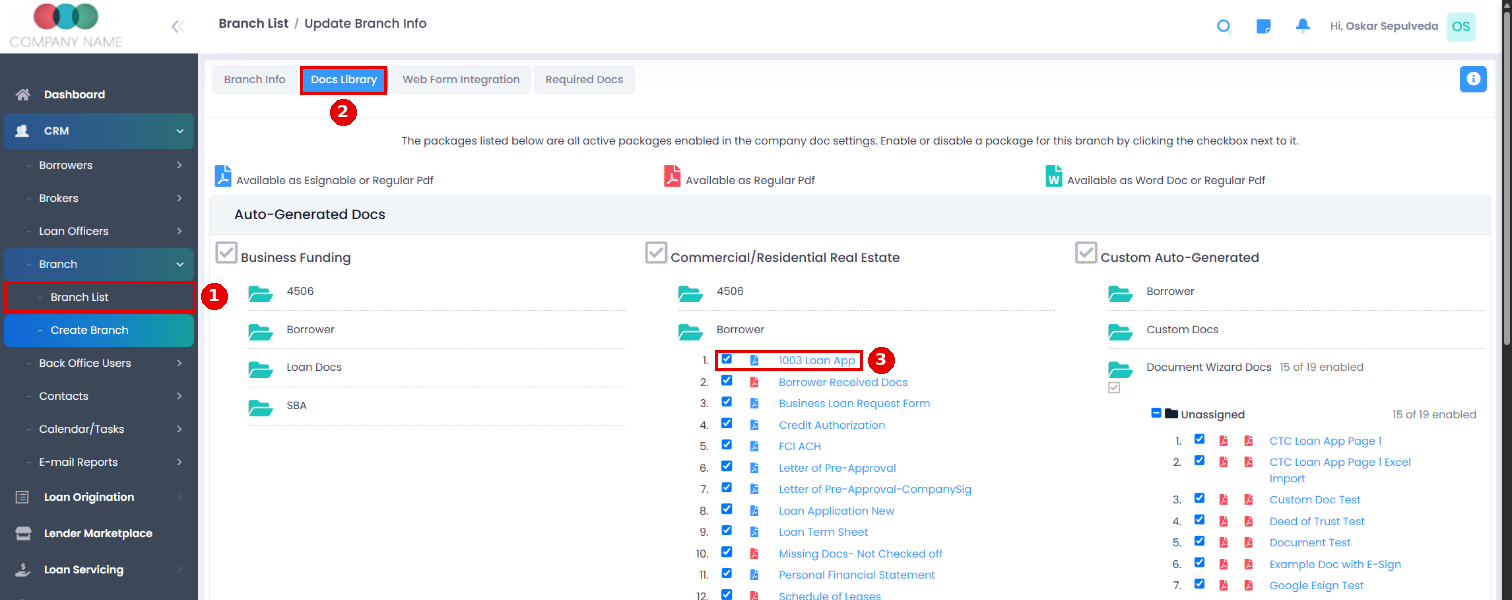
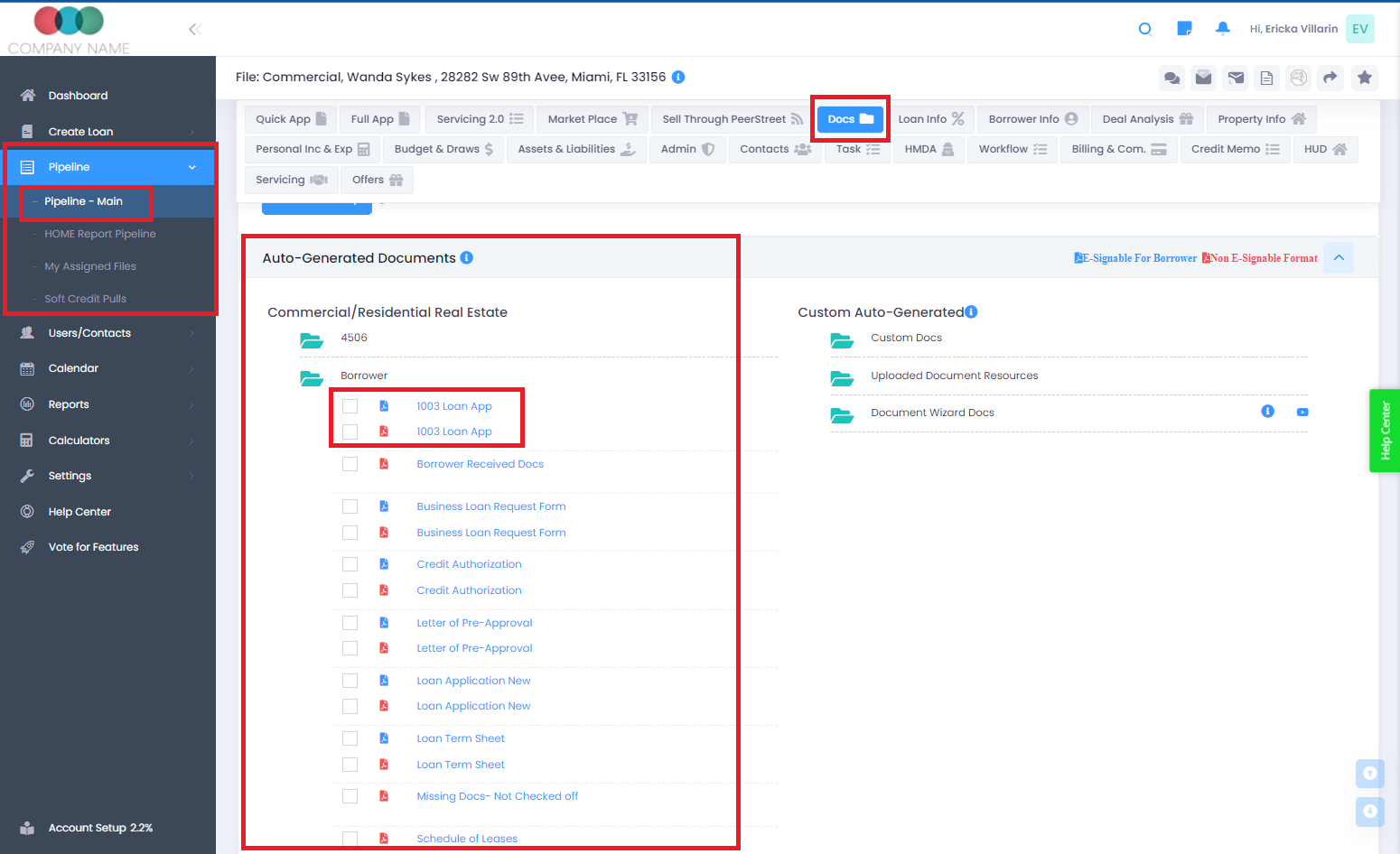
Make sure the 1003 is turned on in Settings > Platform Settings > Doc Library and in each branch's Docs Library tab (CRM > Branch > Branch List > branch > Docs Library). Then you'll find it on the loan file's Docs tab under Auto-Generated Documents: 1003 Loan App is in the Borrower folder and New 1003 is in Loan Docs.�