![owl-Logo-1.png]](https://help.lendingwise.com/hs-fs/hubfs/owl-Logo-1.png?width=43&height=46&name=owl-Logo-1.png)
Please see the video below to show how to achieve this.
If you do not see this on your loan application, a manager would need to edit your permissions to enable this feature.
Share this file, you can share the entire quick/full application, with or without access to uploaded required documents.
Open the loan file and click the Share This File icon 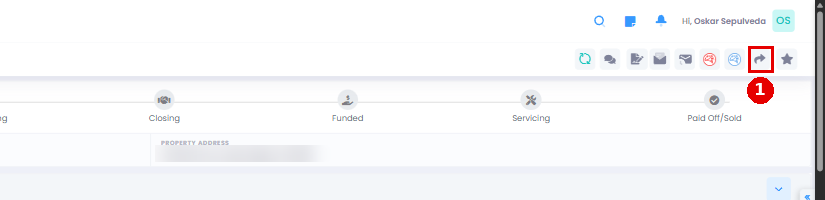 in the file header (the eighth icon from the left).
The Share This File window only has copy-link buttons: copy the link you need and paste it into your own email. There's no recipient, permission or expiry setting.
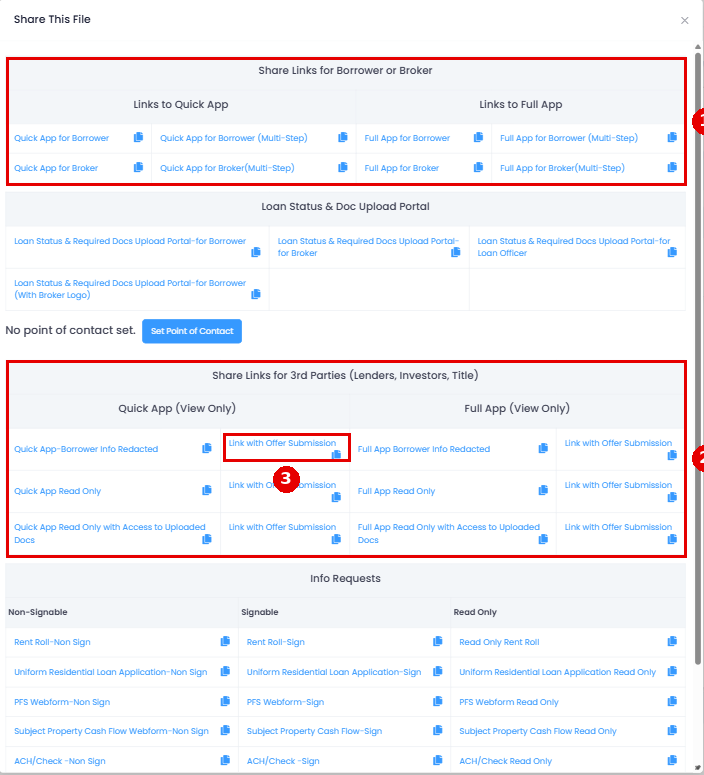
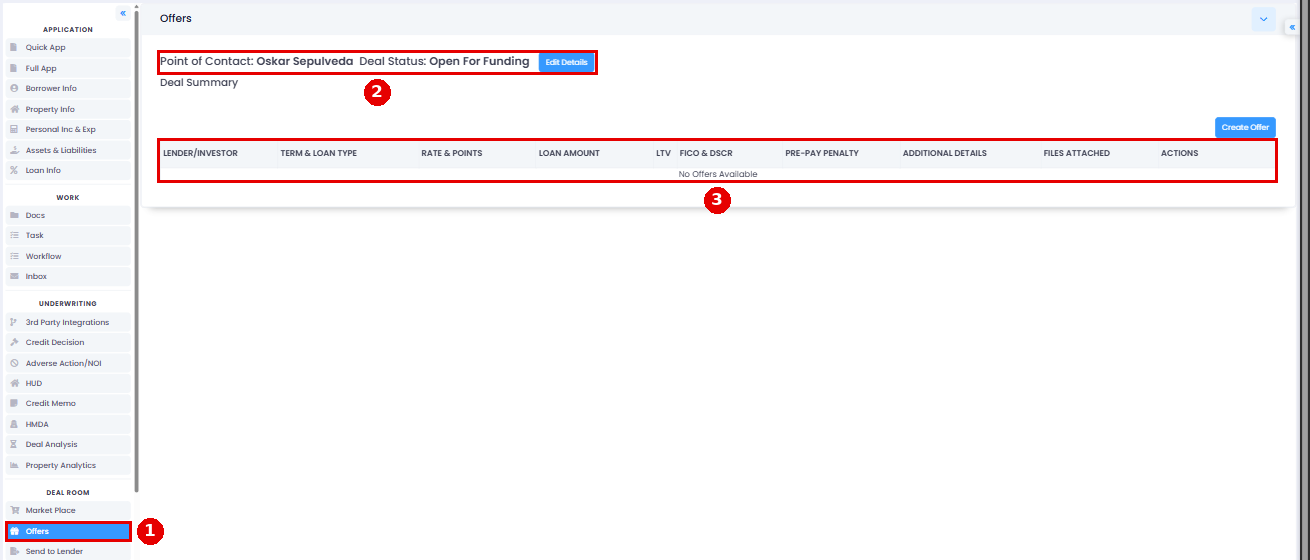
There's also a link for offer submission, where a lender can submit an offer on your loan. Offers show in the loan file under DEAL ROOM > Offers. Nobody is notified when an offer comes in unless a point of contact is set (Set Point of contact).
Offers tab: