![owl-Logo-1.png]](https://help.lendingwise.com/hs-fs/hubfs/owl-Logo-1.png?height=40&name=owl-Logo-1.png)
Once you have created your awesome set of documents that met your needs and wants of what items you would like to display in a document.�
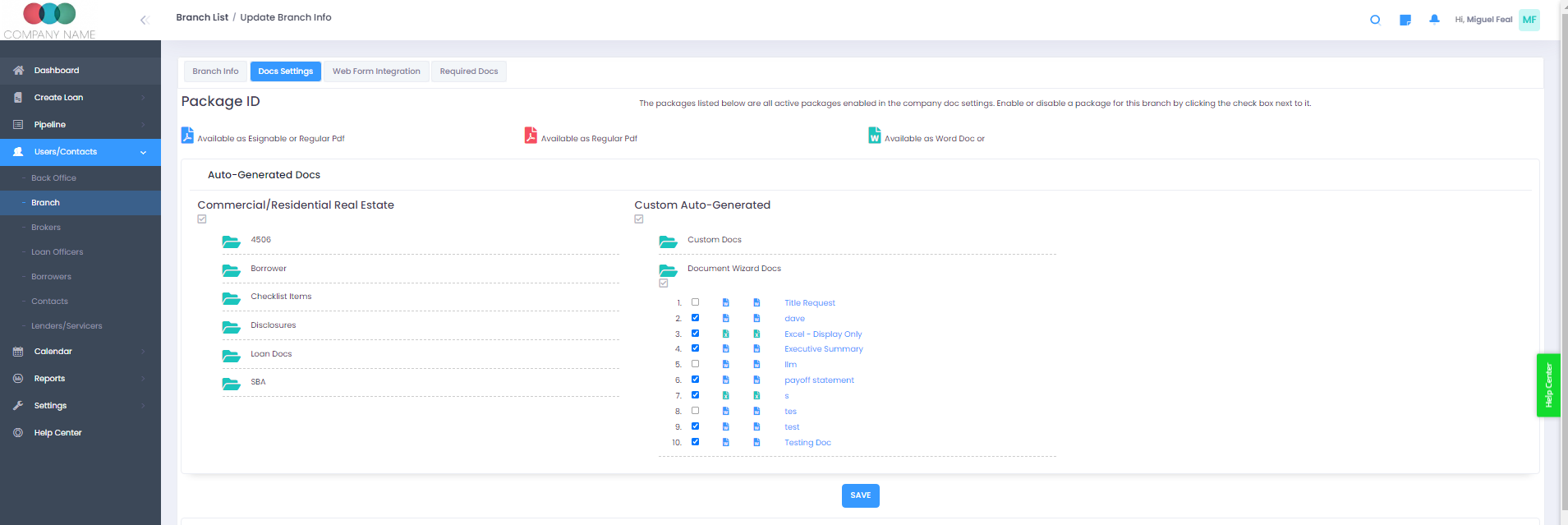
It needs to be enabled on the branch level.�
Users/Contacts -> List Branches -> (Click on the branch) -> Docs settings -> Auto-Generated Docs -> Document Wizard docs
And click on "Save"
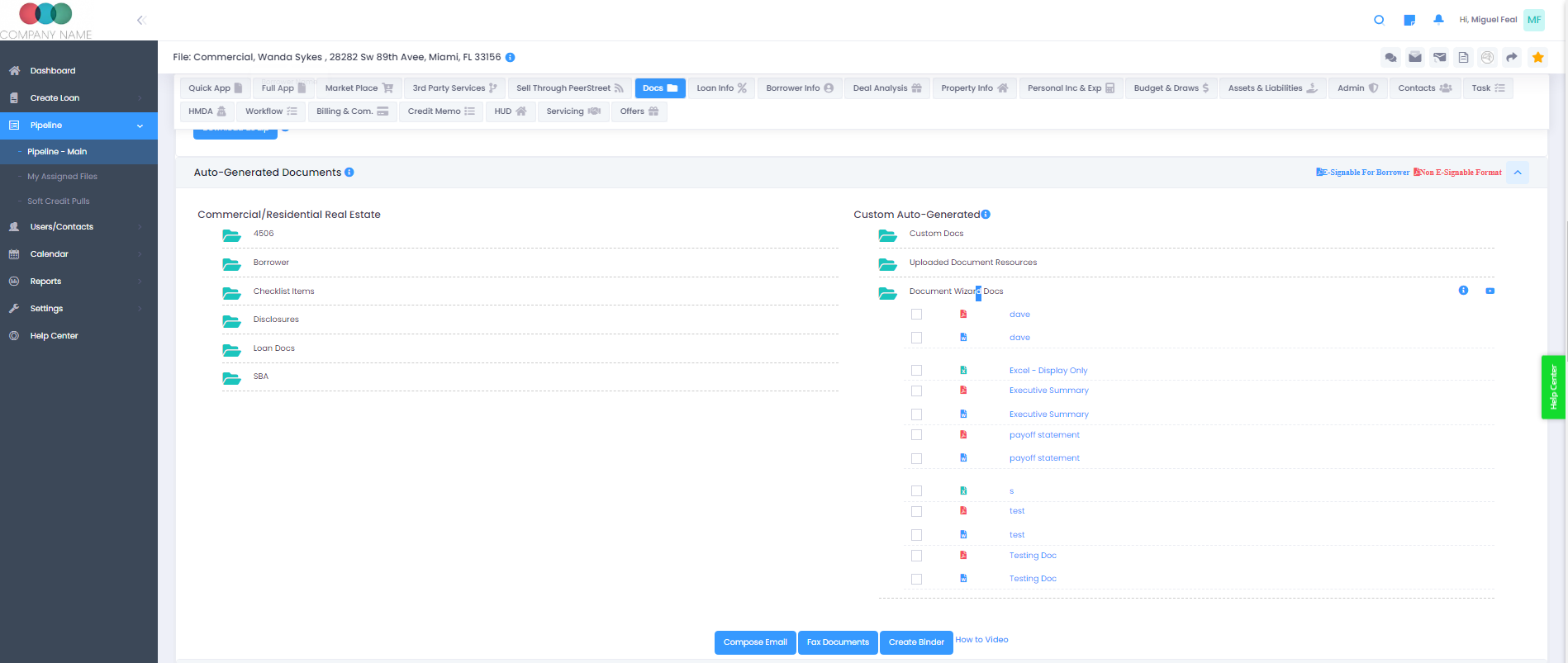
In a loan file, now you should see the document in the application.�
Notes:
If a document does not load, please remember the following:
- Google docs doesn't support Macros.
- Allowed file formats are doc, docx, xlsx and CSV.
- If you are having issues in uploading a doc/sheet and making changes to a doc/sheet. Please contact our support team immediately.