![owl-Logo-1.png]](https://help.lendingwise.com/hs-fs/hubfs/owl-Logo-1.png?height=40&name=owl-Logo-1.png)
Users/Contacts -> Branch-> Branch List. Select the branch you would like to option this information from. Select -> Web Form Integration
You will notice you have different embed ways to do this. You can either do them in a hyperlink version or embed in a website.
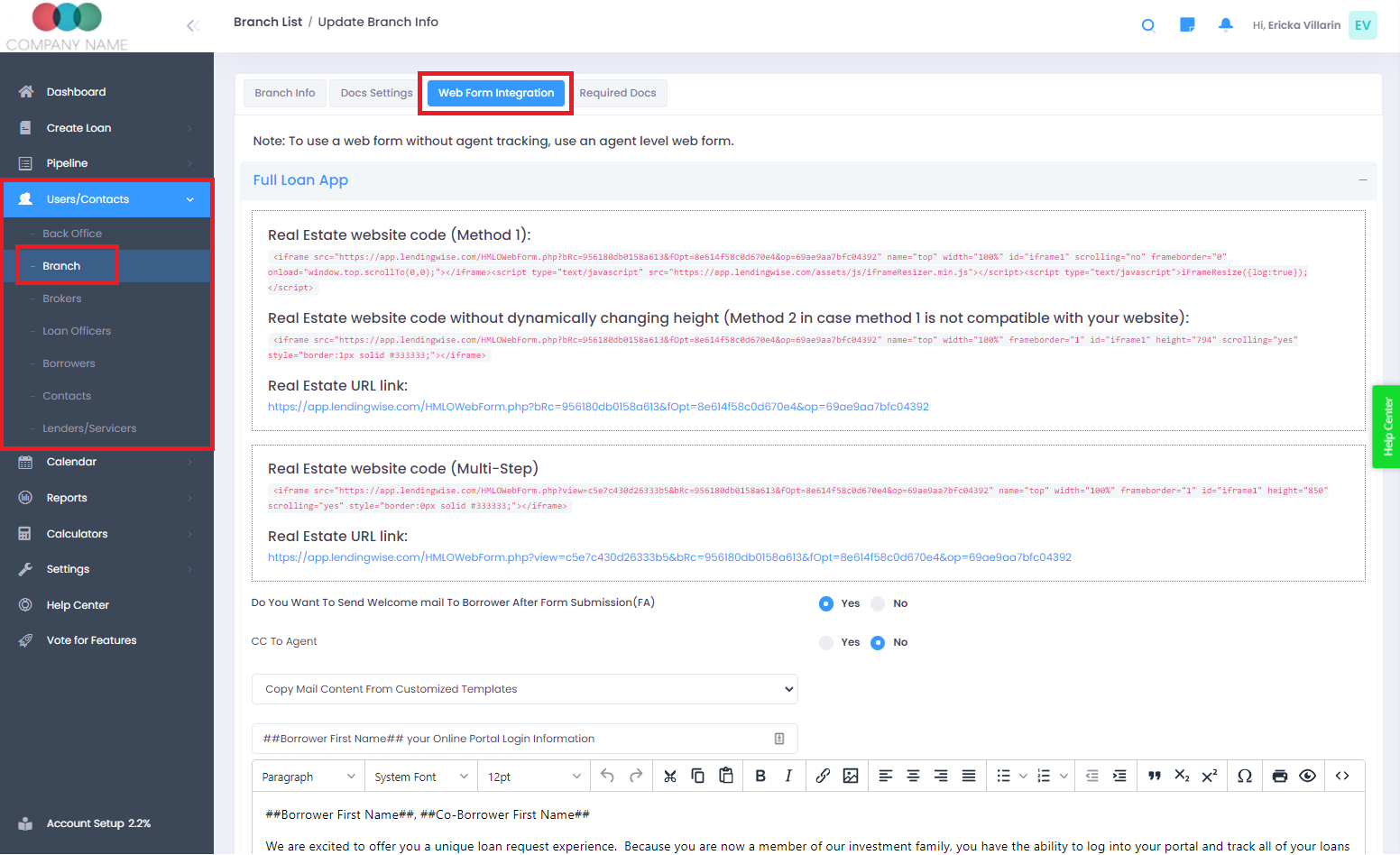
Note: The webforms come in to versions.. long form & multi-step form... Click the direct URL for each one to see what it looks like. Demo Version of Multi-step full app, Long Form Full App, �Multi-Step Quick App, Long Form- Quick App
Each Branch, Brokers and loan officers can have their webform links as well on their websites, email signature and marketing purposes.
For Example:
Loan Officers
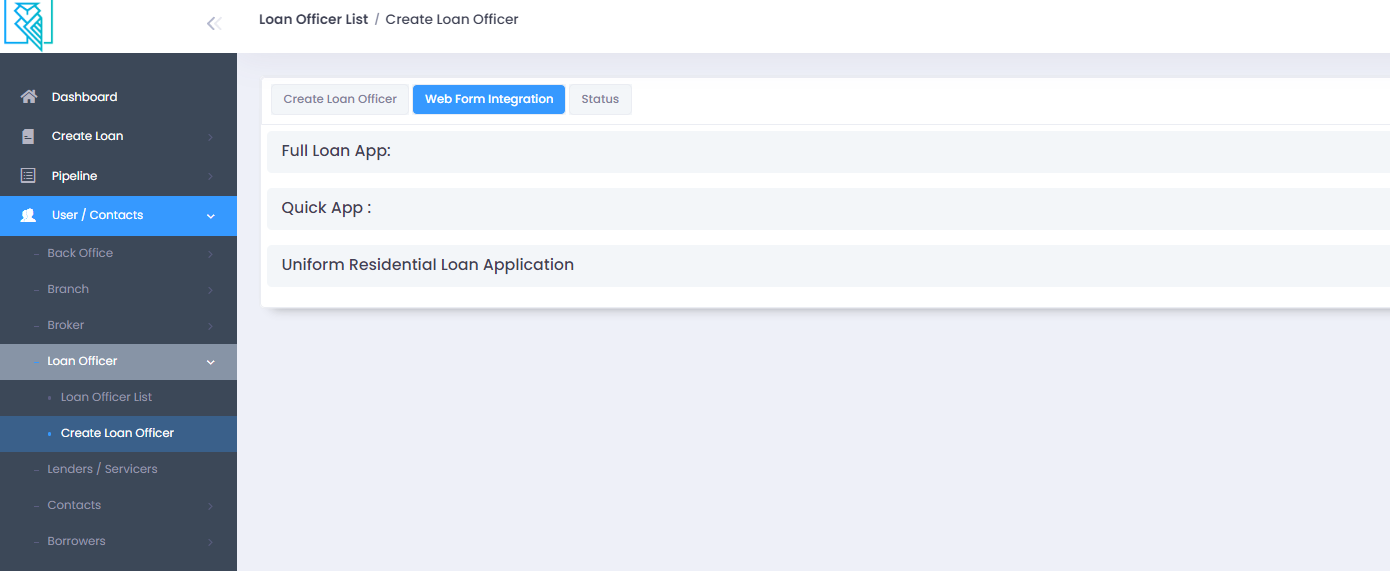
Users/Contacts -> Loan Officer -> Loan Officer list. Click on the loan officer wanted and head over to "Web Form Integration".
You will see the applications for their quick and full application
*Note*
If you have White Label enabled and it is all setup correctly. You should be seeing your domain URL as part of the webform integration.