![owl-Logo-1.png]](https://help.lendingwise.com/hs-fs/hubfs/owl-Logo-1.png?height=40&name=owl-Logo-1.png)
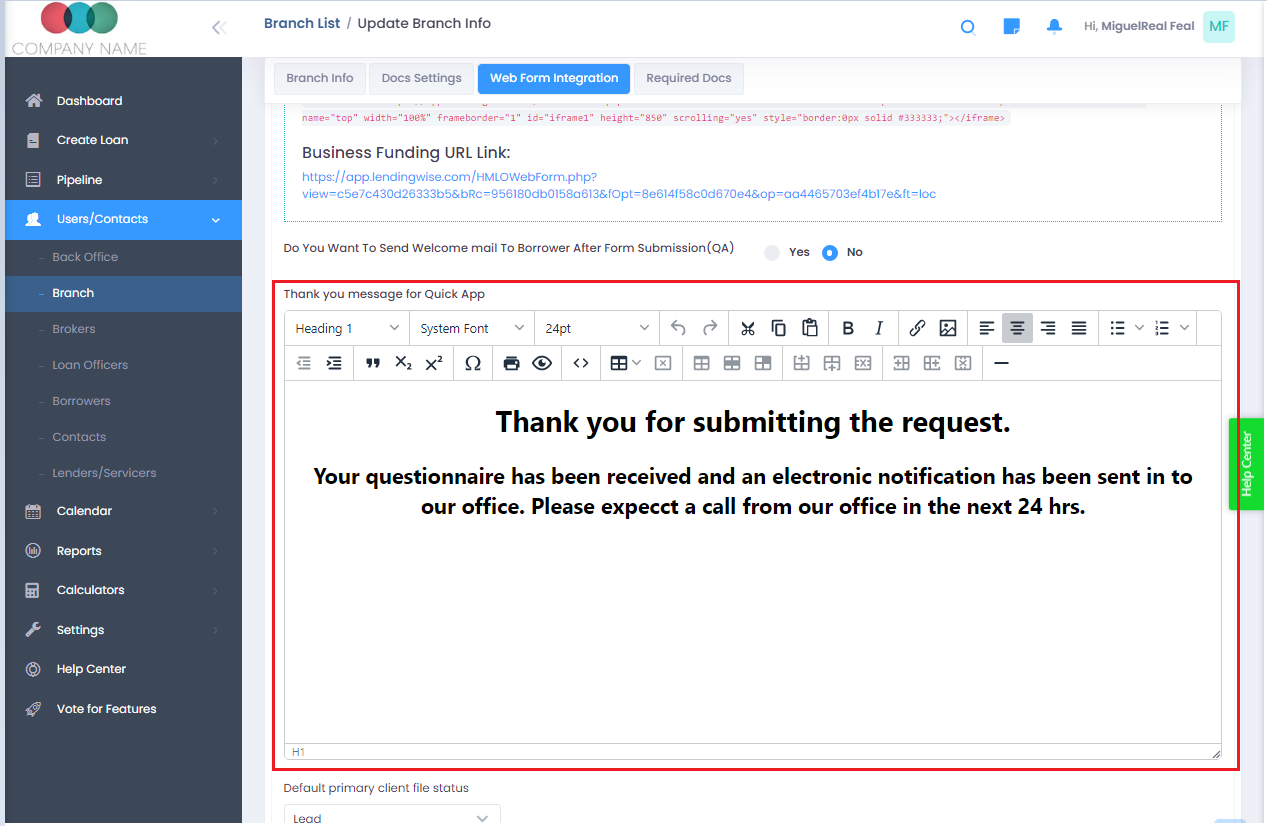
After an online loan submission. You can set up a "Thank you" web message for your borrowers or applicants. You can add your company logo, change the word verbiage, or similar tools.
Users/Branch -> Branch -> (Select your branch) -> Web Form Integration.
You can set this on the Full Loan App, Quick Loan App, and Broker Registration. The image below is what you should see:
Here's a step-by-step guide: