![owl-Logo-1.png]](https://help.lendingwise.com/hs-fs/hubfs/owl-Logo-1.png?height=40&name=owl-Logo-1.png)
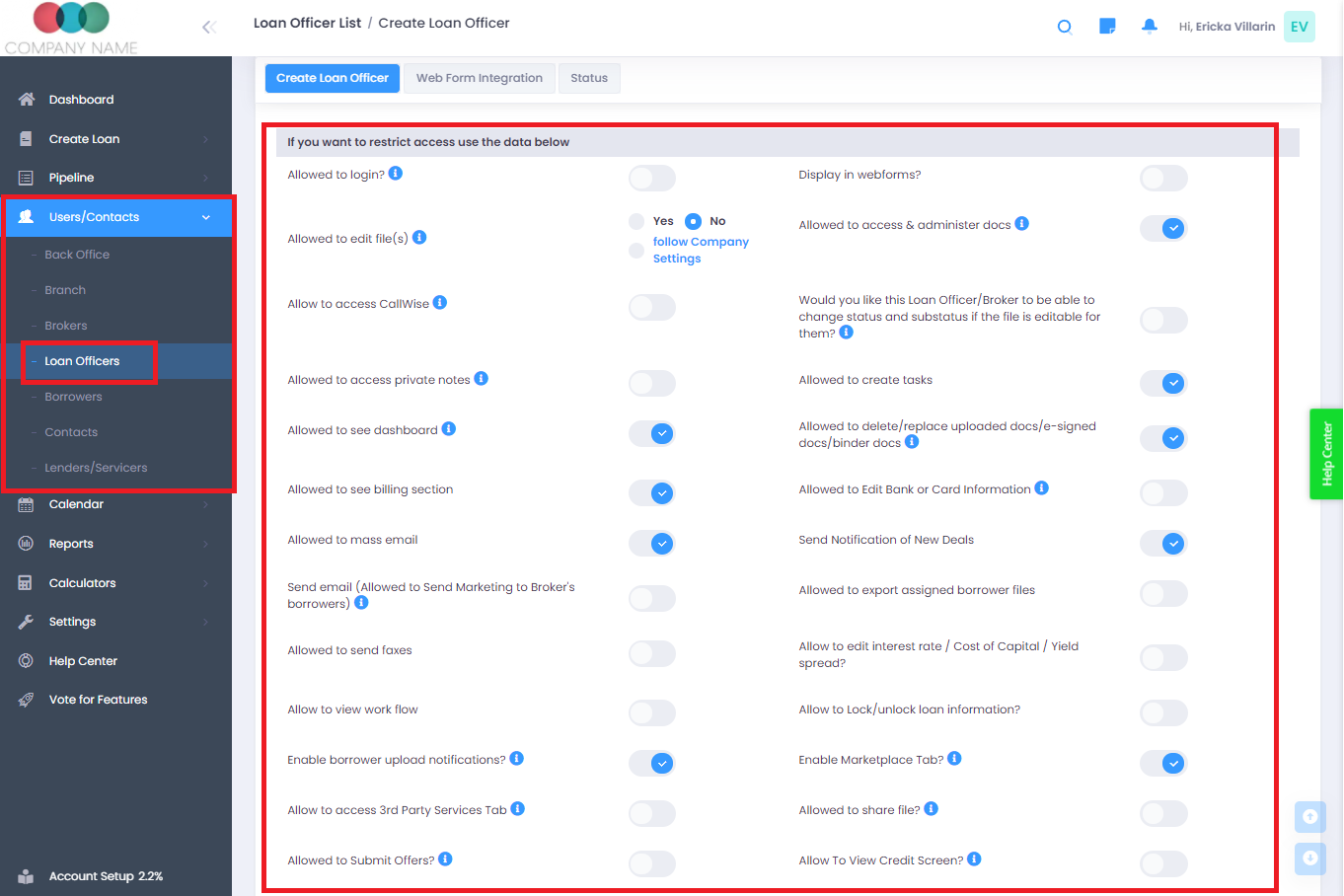
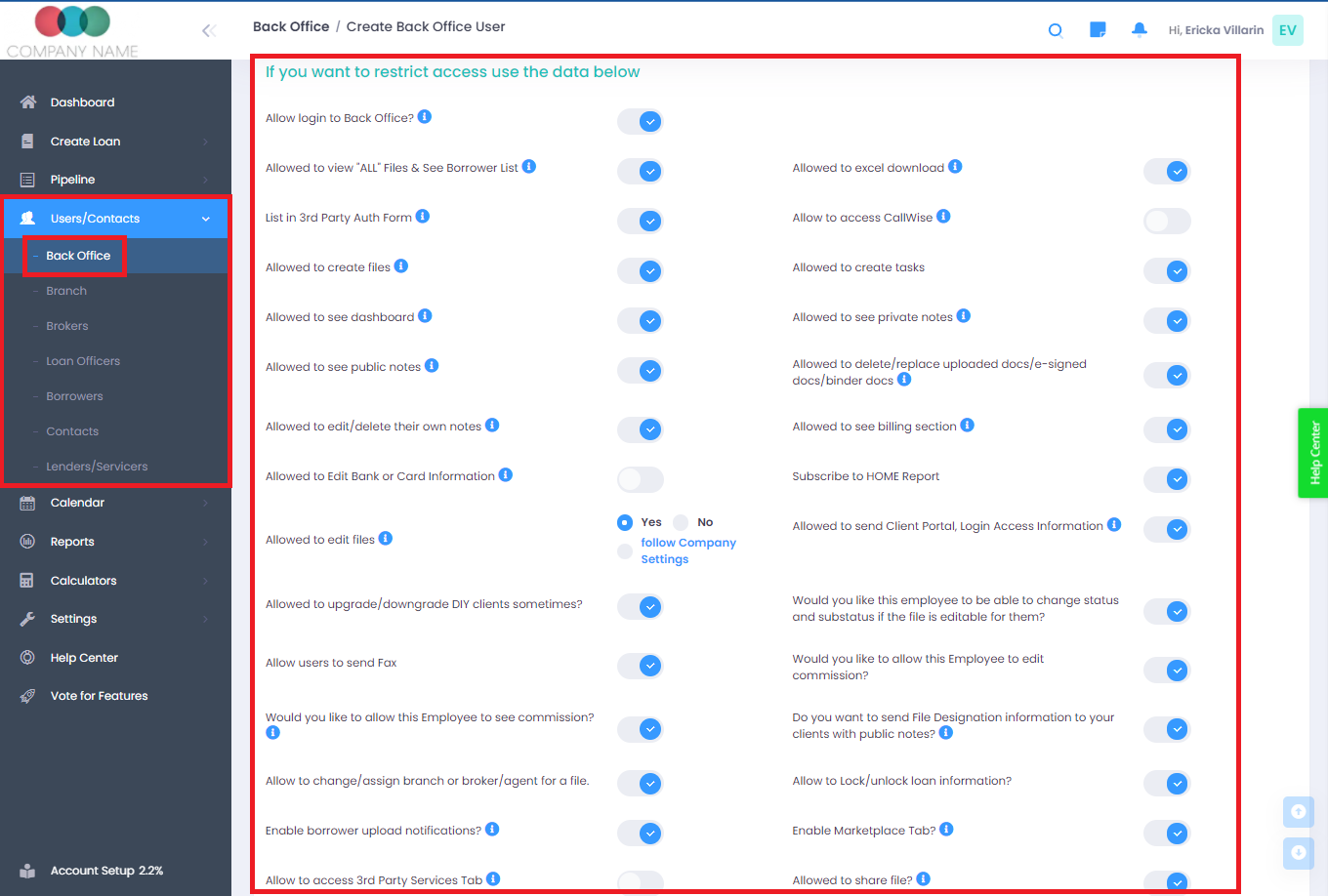
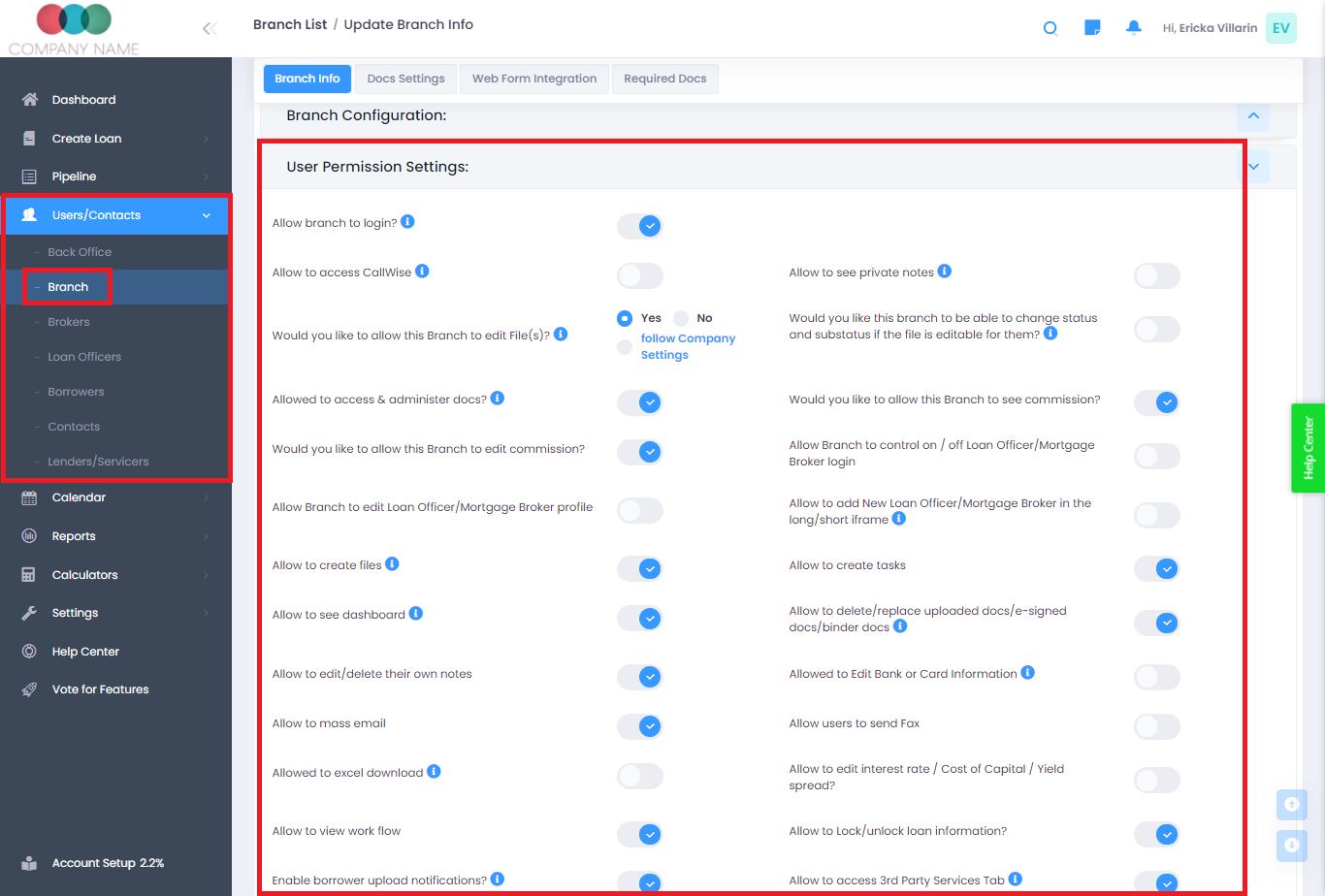
LendingWise lets you set different permissions by user and role
Example: access to the interest rate, see private notes, access to MarketPlace
Permissions and access can be set on:
- Back Office Employee/Processor/Manager
- Branch or Account Executive
- Mortgage Broker/Mortgage Loan Officer.
To Access permissions:
- Go to: Users/Contacts -> List Employees -> (Click on the employee)
- Users/Contacts -> List Branches -> (Click on the branch)
- Users/Contacts -> List Brokers (or) List Loan Officer -> (Click on the Broker/Loan Officer)